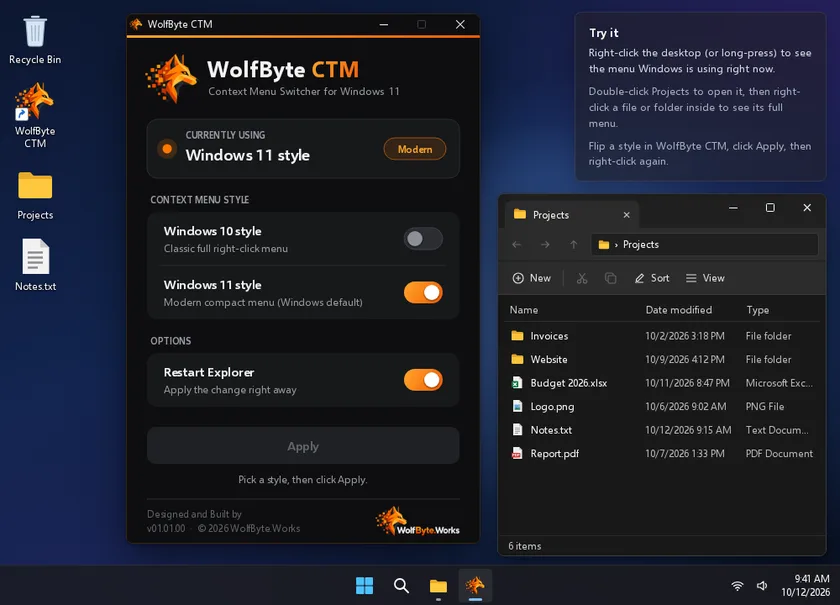
Shows what’s in use
The current menu style is checked again every time you bring the window up.
 WolfByte.Works™

Windows 11 · Rust
Your right-click menu, your way.
Windows 11’s compact right-click menu hides half its options behind “Show more options.” WolfByte CTM switches between the classic Windows 10 menu and the Windows 11 menu in one click, then restarts Explorer so the change shows right away.
Version 01.01.00 · Not available yet
Interactive demo · sample data
A working recreation of the real CTM window on a pretend desktop. Nothing on your computer is changed.
The current menu style is checked again every time you bring the window up.
Turn one style on and the other turns off. One Apply button does the rest.
Restarts Explorer for you, on a background thread so the window never freezes.
Changes only your own user settings and never asks to elevate.
A single half-megabyte app with no runtime to install.
No network access, no files written and no telemetry.
Rebuilt from scratch in Rust as a tiny native Windows app with the new WolfByte look, replacing the original 01.00.00.